Binance Face Verification Failed: What to Change Before You Retry
If the scan ran to the end and then said it failed, change three things before the next try: the light on your face, anything on your head or eyes, and where your face sits in the frame.
Jump to a section
Binance’s identity verification page sets the conditions for its liveness check in one line: “Do not wear hats, glasses, or use filters, and make sure that the lighting is sufficient.” The app version of the same page adds “Please make sure your whole face is clearly visible, centered, and your eyes are open.” Before the next scan:
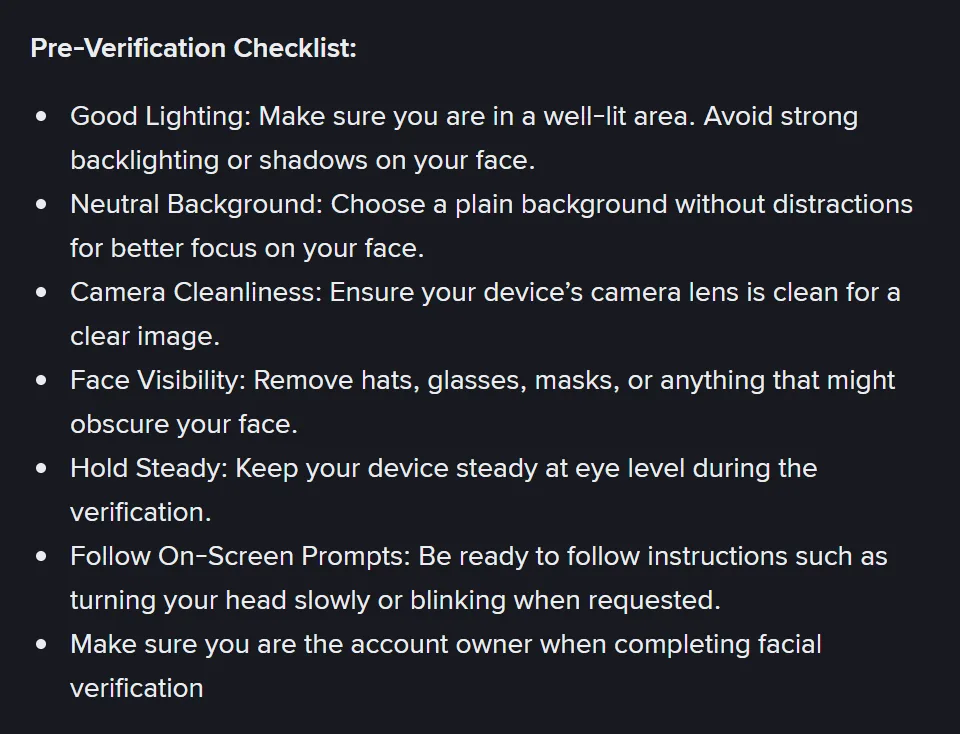
- Light from the front. Sit facing a window or a lamp, not with one behind you. Binance’s face verification page asks you to “Make sure you are in a well-lit area” and to “Avoid strong backlighting or shadows on your face.”
- Nothing on your face. Take off a hat, glasses or mask, and switch off any camera filter. The same page says “Remove hats, glasses, masks, or anything that might obscure your face.”
- Your whole face, centred and still. Wipe the camera lens, hold the phone steady at eye level, keep your eyes open and your face in the middle of the frame, with a plain background behind you. Then follow the instructions on the screen through to the end.
Allow camera access (“Please enable camera access on your device.”) and do the scan in one go. The identity page says “Do not refresh or quit the App during the process”, and not to refresh the browser on the website. Fix all three points even if you suspect only one. Binance’s help pages don’t list the messages a refused scan can show, so the screen won’t tell you which condition it missed.
All of this is for a scan that ran to the end and was refused. If the camera never opened or the screen sat on loading, the scan didn’t finish and the fixes are different. For those, see face verification stuck on loading, which also covers a number such as 133197 that Binance’s help pages don’t explain. Not sure which you had? The face verification self-check starts from the point where yours stopped. Already verified and asked for your face again at login or for a withdrawal? See why Binance keeps asking for facial verification.
Five reasons Binance gives, and which ones a retry can fix
Binance’s face verification page says the check compares “a real-time image of your face with the image on your ID documents”. Under the heading “Why Face Identification might fail”, it lists five reasons. As we read them, two won’t change however many times you scan again.
| Reason, in Binance’s words | Can the next scan fix it? | What to do |
|---|---|---|
| “Poor lighting.” | Yes | Light in front of you, none behind (step 1) |
| “Low camera quality.” | Sometimes | Clean the lens. Moving to a device with a better front camera is our suggestion; the page doesn’t mention changing device |
| “Wearing glasses, hats, or masks.” | Yes | Take them off for the scan (step 2) |
| “ID photo and live face look significantly different.” | Not on its own | Ask for a manual review |
| “Attempting to use someone else’s face or ID.” | No | Stop. The face on camera has to be the account owner’s |
A face that no longer matches your ID photo is the awkward one. If your ID photo is old, or you look very different now, better light won’t close that gap. A manual review puts a person on your case, and Binance’s privacy portal says of its automated identity checks that “this process isn’t perfect, and sometimes errors can occur.” If your document has since expired, that is one of the reasons Binance lists for [Update Identity] on the [Identification] page, though none of these pages says whether a newer document changes a face check result.
Using someone else’s face or ID has no fix. The identity page says “You cannot transfer your account to another person or substitute another person’s ID for your ID”, and the face verification page asks you to “Make sure you are the account owner when completing facial verification”. If you’re holding the phone for a relative, stay out of the shot, because someone else in the video has consequences of its own.
Try again, or stop and appeal?
Skipping the scan isn’t an option. The face verification page says “Please note that facial verification is mandatory and cannot be removed or bypassed.” So after a refusal, the choice is another scan or a person looking at your case. Binance’s withdrawal reactivation page says “Facial verification may fail due to technical difficulties or device issues”, and that this is why accounts can be verified manually by “dedicated auditors”.
| Where you are | Scan again? | Then |
|---|---|---|
| One refusal, and one of the three steps wasn’t met | Yes, once, in one go | If it passes, finish the remaining steps and wait for the review |
| A second refusal with all three steps met | We’d stop here | Ask for a manual review |
| Your face and your ID photo look very different | A new scan meets the same gap | Manual review |
| Refused 10 times in 24 hours | Not for 24 hours, per one Binance page | Manual review rather than another round |
The limit of ten comes from Binance’s How to Set up a Binance Account (Migrant Residents), updated 19 December 2025, which says: “You may attempt to complete the Identity Verification process up to 10 times per day. If your application has been denied 10 times within 24 hours, please wait 24 hours to try again.” That sentence covers the identity verification process as a whole rather than face scans alone, and the main identity verification page gives no limit at all. That is the wording as of October 2026; a number like this can change, and the app or help centre will have the current version.
We’d stop at two, a number Binance doesn’t set, because once all three conditions are met, another scan on the same phone in the same room repeats the same test. The face verification page points the same way after a failure, telling you “If verification fails, please contact Binance customer support for further assistance.”
How to file a Binance facial verification appeal
Binance’s pages describe two ways in. The first is the [Facial Verification Appeal] page, which the withdrawal reactivation page covers under “How to appeal if my facial verification failed?”:
- Click [Appeal]. You’re taken to the [Facial Verification Appeal] page. Binance’s page doesn’t say which screen the [Appeal] button is on.
- Answer the security questions if you’re asked them. Binance warns: “Please answer the questions carefully or your appeal may be rejected.”
- Provide the materials the page asks for, following its instructions and examples.
- If you have trouble providing them, or have anything that helps explain your case, put it under [Additional Information].
- Wait for the result. The page says “We’ll notify you of the result via SMS or email.”
The second starts in support. In its section “Is it possible to contest automated decisions?”, Binance’s privacy portal says to sign in on the app or website, go to your profile and select the headphone or chat icon. Then, in the Self-Service section, click “View more”, scroll down to the KYC section and pick the option that fits.
Binance support, Self-Service, KYC sectionFailed Facial Verification Appeal
The portal says that request goes to one of its KYC customer support agents, who looks at the case manually and gets back to you. Neither page gives a time for the review, and the withdrawal page says only “Your appeal will be reviewed shortly.”
Under [Additional Information], we’d give the facts a reviewer can’t see: the device, app or website, how many scans you made and what you changed between them, and whether you look different from an old ID photo.
Keep it to what happened.
If support asks for a statement video
Binance’s page “How to Provide Statement Video and Security Questions” (published 13 May 2025) says you may be asked to submit one to the Customer Service team. It gives no file format or length. What it does ask for:
- You in front of the camera, face visible, holding up “the information page of your ID document”.
- A spoken statement with the date, the coin and amount you want to withdraw, that you authorise the withdrawal, its purpose, and your Binance account email. The page’s sample begins “Today is DD-MM-YYYY”.
- If you don’t speak English, copy the page’s English statement with your own date, email and amount, hold it in front of the camera, and explain it in your own language.
- No watermark and no editing. Send it with a photo of the ID you held up in the video.
Two optional security questions ask for your registration date and registration IP address, both of which are in the registration confirmation email. The page says answering them “can help us confirm your identity and speed up the review process.”
We’d record a video like this only for Binance’s own support, in a chat you opened from inside your account, because a video of you holding your ID and authorising a withdrawal is exactly what a thief would want. Someone who contacts you first, or offers to get your face check passed, fits the pattern in fake KYC texts and “support” calls. Before you reply to anyone, look them up on Binance Verify, which checks whether a website, email address, phone number, Telegram or social media account is officially from Binance.
Someone else appeared in your face video
Binance’s page “How to Reactivate My Account Withdrawal Function If Other People Appeared in My Face Verification Video” says that when face verification fails because others, such as family members, partners or close friends, appeared in the video, the account’s withdrawal function is suspended. It adds that Binance won’t reveal photos or information identifying those people.
To get withdrawals back, the page asks for a new video, sent to the customer service team. It doesn’t say how long the review takes, only what to send:
- Everyone who appeared is in the video together, each face clearly visible, each person holding up their ID. If you can’t be in one place, a video call works, as long as everyone is on the same screen at the same time.
- The account holder states the date, the amount and the coin to withdraw, a clear authorisation, the purpose, and the account’s email or phone number.
- Each of the others states the date and says they’re helping the account holder restore the withdrawal function. The page gives sample wording for both.
- Anyone who can’t speak English holds the written English statement and explains it in their own language.
- The video has no watermark and no editing.
- A separate selfie goes with it. The page says “Take a selfie alone” and doesn’t say whose.
Once withdrawals are back, the next face scan should have only the account owner in the frame.
Why does Binance keep asking for facial verification?
Binance’s face verification page says “You may be required to complete facial identification when attempting to access your account”, and to “proceed with certain features like trading, withdrawals, redeeming rewards and increasing deposit limits.” At login, a scan that passes approves the login automatically; if it fails, the page says to contact customer support. The same three fixes apply here too: light from the front, nothing on your face, and your whole face centred and still.
Two more cases have their own Binance pages:
- Withdrawing an NFT. Binance may ask again to protect users from identity theft, fraud and money laundering. If the check isn’t completed, NFT withdrawals on that account are suspended; you carry on through the pop-up and can try again if it fails. Cancelling or closing the window during the check rejects that withdrawal request.
- No face check during verification. If you didn’t complete face verification during identity verification, your withdrawal amount is limited, with the limits shown on [Identification]. To raise them, complete the verification on the website or app, or contact Binance Support with more information.
For an ordinary crypto withdrawal, the face verification page only lists withdrawals among the places a scan may be asked for, and none of these pages sets a general rule for when one appears. Other withdrawal holds are covered in what each Binance restriction notice means. If your document failed rather than your face, see the fixes for each Binance verification step; why liveness checks fail on other exchanges puts Binance’s conditions next to theirs.